
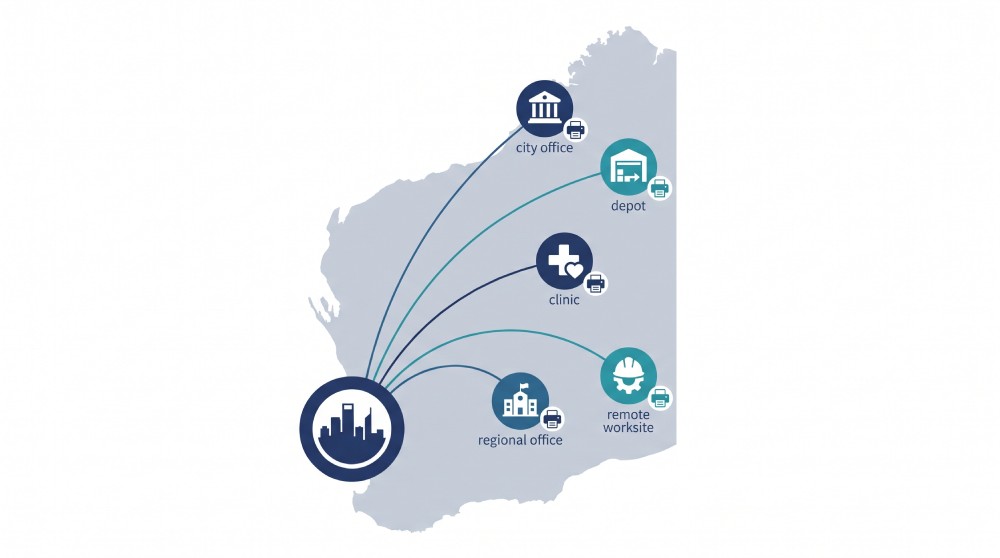
Yes, managed print can work well for multi-site and remote businesses in Western Australia, and it is often where the benefits are largest. The reason is simple: when printers are spread across a depot, a regional office, a clinic and head office, someone has to track toner, fix faults and pay for it all, and doing that site by site is expensive and slow. A managed print service puts the whole fleet under one agreement, monitors it from one place, and sends supplies before they run out.
It is not automatic, though. Remote monitoring can’t replace a technician when hardware fails, and WA’s distances make that gap matter. This guide explains how managed print works across multiple sites, where it can fall short at remote locations, and the questions to ask any provider, including us, before you sign.
Why multi-site and remote printing is harder to manage
A single office can get by with someone noticing the toner is low. Spread that across several locations and the problems multiply:
- No visibility. Nobody knows how many devices you have, how old they are or what each site spends.
- Mixed fleets. Different sites buy different printers, so you need different toner, different parts and different support.
- Stock-outs. A remote site runs out of toner, and replacements take days to arrive.
- Costs hidden in each site’s budget. Printing is paid for locally, on different invoices, so no one sees the full total.
- Inconsistent security. Some devices are updated and locked down, and others aren’t.
- Long call-outs. WA covers roughly a third of the Australian continent, so a technician visit to a remote site can be slow and expensive.
How managed print helps across multiple sites
One view of the whole fleet
A managed print provider monitors your devices across all sites from a central platform. Our managed print service tracks toner levels across your entire fleet in real time and orders replacements automatically at a set threshold. Our FAQs say an alert is sent 30 days before your toner is empty.
Fewer site visits
Remote monitoring can catch low supplies and some faults before anyone has to call. In a 2025 article from Tech Partner, QPC is described as using a cloud monitoring platform to manage printers from several brands in one place, with remote firmware updates and troubleshooting to reduce technician visits. The monitoring vendor’s QPC case study describes the same setup, including remote reboots and firmware updates on supported HP devices. Remote fixes depend on the device and the connection, so they cut visits but don’t remove them.
One agreement, predictable costs
Instead of each site buying toner and arranging repairs separately, consumables are covered under a single managed print agreement. Our managed print page describes this as a single agreement with upfront fixed pricing. In the same article, QPC describes an invoicing integration that lets clients receive one invoice covering all services. Ask any provider what that looks like for your sites, including whether you can see costs by site or department.
Cloud printing for remote teams and branches
Not every location needs a print server. Our cloud print services let staff print without installing a print server at each location, and our Follow Me printing page describes printing from any device, including Chromebooks, iOS and Android, with secure release from any authorised device. Our cloud fleet management page says devices can be managed from anywhere, without being on the same local network.
Where it can fall short at remote sites
Be honest about the limits before you commit. These are the risks to test with any provider:
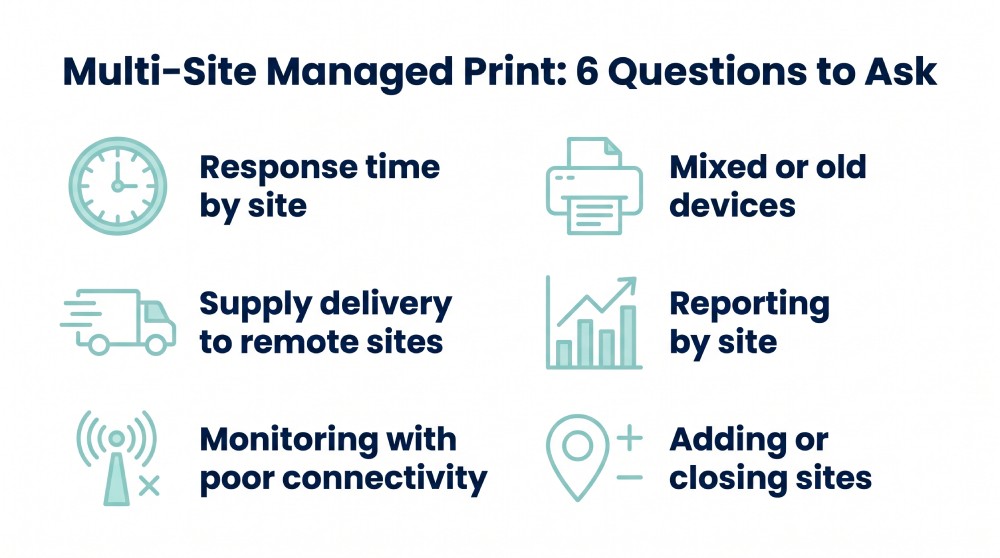
- Technician response time. Remote monitoring can’t replace a person when hardware fails. Ask for response times by location, not an average, and get them in writing. Our site says that wherever there is a Coles or Woolworths store, you have access to a technician local to you, with no travel charges for onsite support. If you have a site outside a town, ask us to confirm what that means for your exact location.
- Supply delivery times. Even with automatic ordering, toner has to be freighted. For remote sites, ask for a higher reorder threshold or a small on-site buffer stock, so a delivery delay doesn’t stop work.
- Connectivity. Remote monitoring needs the device to reach the network. Ask what happens on sites with poor or intermittent connections.
- Old devices. Some older printers can’t be monitored properly. Ask whether your existing devices can be included, or whether some need replacing.
- Site changes. Sites open, close and move. Ask how adding, removing or relocating a device is handled, and what it costs.
Questions to ask a provider before you sign
| Question | Why it matters |
| What is the response time for each of my sites, and is it in the contract? | Averages hide slow response at remote locations |
| Who is the technician for each site, and where are they based? | Confirms the support is real, not just a head office promise |
| How are supplies sent, and what happens if a delivery is late? | Remote sites need a buffer |
| Can I see usage and cost by site and department? | You can’t manage what you can’t see |
| Can you monitor my existing devices, including mixed brands? | Avoids replacing everything at once |
| What happens when I add, move or close a site? | Your business will change |
| What is the contract length and the exit term? | Avoids being locked into a bad fit |
| How are devices kept secure and updated? | Printers are part of your network |
Security across multiple sites
Printers handle sensitive documents, such as invoices, contracts, patient or customer records and HR files. In a multi-site business, an unattended output tray in a remote office is as much a risk as one at head office. Secure print release, where a job only prints when the user is at the device, is one way to reduce the risk of documents being left behind. Our cloud print page describes Secure Print Release as letting users collect output from any authorised device and removing unclaimed documents left at printers.
If you hold personal information, the Privacy Act’s APP 11 is about taking reasonable steps to protect it. Whether it applies to your business depends on your size and activities, so check with your adviser. Either way, printed and scanned documents are part of the picture.
Which WA businesses benefit most?
Managed print tends to suit organisations with several locations and limited local IT, such as:
- Healthcare and community providers with clinics in several towns. Our managed print page says we have supplied remote medical services.
- Mining services, construction and engineering businesses with depots and site offices.
- Hospitality and retail groups with multiple venues.
- Professional services with a head office and a few branches.
- Schools, councils and not-for-profits with scattered sites.
What a simple rollout looks like
- Audit. List every device and site, with age, brand and usage.
- Standardise. Replace or retire the devices that cost the most to run or can’t be monitored.
- Connect. Set up remote monitoring and automatic ordering.
- Agree service levels. Response times by site, in writing.
- Review. Check reports by site and adjust the fleet.
Where QPC Group fits
QPC Group is a Western Australian technology and print company, founded in 2008, offering managed print, cloud print, document flow and more. Our about page and homepage cover the details. We work with Xerox, Lexmark, HP and Epson, so we can match equipment to each site instead of forcing one model everywhere.
Frequently asked questions
Can managed print services work for multi-site businesses in WA?
Yes. Managed print puts all your devices under one agreement, monitors them centrally and sends supplies automatically, which reduces the effort of managing each site separately. The key is checking response times and supply delivery for each site.
Can managed print work for remote or regional sites?
It can, with limits. Remote monitoring and automatic ordering reduce visits, but hardware faults still need a technician. Ask for response times for your specific locations and get them in writing.
Do I need a print server at every site?
Not necessarily. Cloud print services can remove the need for a print server in each location. Ask the provider what your setup would require.
How are toner and supplies delivered to remote sites?
Usually by freight, ordered automatically when levels reach a set threshold. For remote sites, ask for a higher threshold or a small buffer stock, because delivery takes longer.
Can I see print costs by site?
You should be able to. Ask any provider for reporting by site and department, and for a sample report before you sign.
Will my existing printers work with a managed print service?
Often, but not always. Mixed-brand fleets can be monitored on some platforms, but very old devices may need replacing. Ask for an audit of your current fleet.
What happens if I open or close a site?
This should be covered in your contract. Ask how adding, moving or removing devices is handled, and whether it changes your pricing.
Get a print review across your sites
If you manage printing across several locations, we can look at your current fleet, costs and sites and show you what a managed setup would look like. Request a quote, contact us, or call (08) 9303 3888.
This article provides general information about managed print services. Coverage, response times, supply delivery and pricing depend on your sites and agreement, so confirm details with the provider in writing. Privacy and security obligations depend on your business, so check with your adviser.